


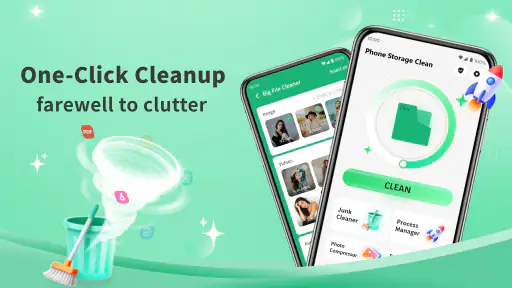
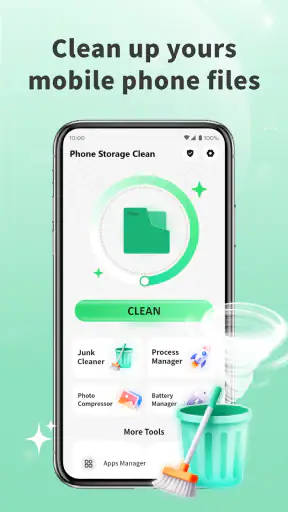
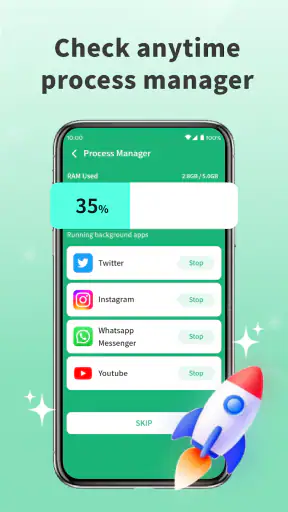

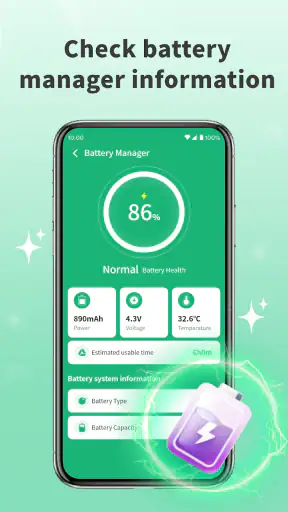
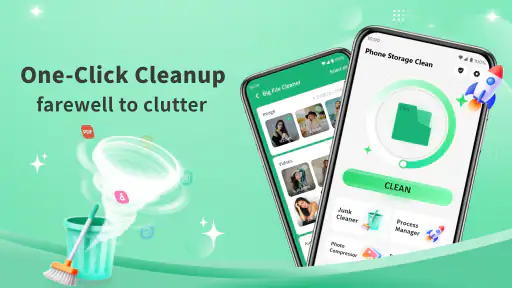
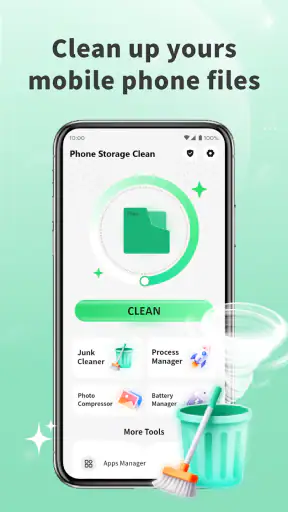
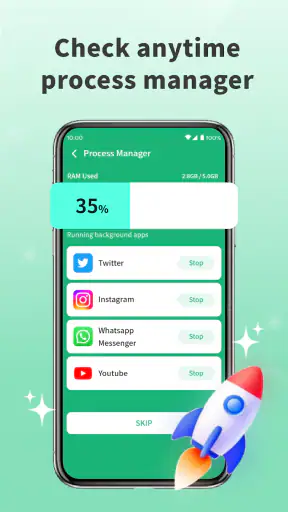
Phone Storage Clean is the kind of productivity app I would reach for when my phone has become difficult to manage rather than genuinely full of important work. Its purpose is straightforward: help tidy a device through practical cleaning tools, with a focus on making storage easier to review and maintain. I tested it with a simple question in mind: can it become part of a sensible phone-care routine, or is it only useful during an occasional storage emergency?
My answer is fairly positive, with an important qualification. This is not a replacement for thoughtful file management, cloud storage, or the storage controls already built into Android. Instead, it works best as a convenient checkpoint between those tools. It gives me a reason to stop, inspect what has accumulated, and remove clutter before it starts affecting everyday use. That makes it more interesting as a habit-building utility than as a one-tap miracle cleaner.
From storage frustration to a calmer phone workflow
Before using it, my usual approach to a crowded phone was inconsistent. I would notice a warning, open the system storage screen, jump between folders, and delete whatever looked familiar. That method is safe only when I have plenty of time. In a hurry, it is easy to remove something useful, overlook old downloads, or keep postponing the job because the system menus feel too technical.
Phone Storage Clean gives that neglected task a more approachable starting point. The developer is Ureno Tree Service Inc, and the app sits in the productivity category rather than presenting itself as entertainment or a specialized file-management suite. That distinction matters to me: its value is tied to reducing friction in a daily digital routine, not to offering a complicated toolbox that I will forget after one use.
The first useful change is psychological. Instead of treating storage maintenance as a reaction to a nearly full device, I can treat it as a short review of digital leftovers. Screenshots from temporary conversations, downloaded documents I already used, duplicate-looking pictures, and old media files tend to accumulate quietly. A cleaning app is helpful when it makes those categories visible enough for me to decide what still deserves space.
I would not begin by pressing every cleaning option without reading the results. The better workflow is to open the app when the phone is still usable, scan what it identifies, and make deliberate choices. That approach reduces the main risk of automated cleanup: confusing “old” or “large” with “unimportant.” A file can be both, and still be the only copy I need.
What I look for during the first review
My first pass is not about achieving the biggest possible reduction. I look for low-risk clutter first. Temporary downloads and forgotten screenshots are usually easier to judge than personal videos, work documents, or files connected to a messaging conversation. This order turns the app into a decision aid rather than a substitute for my own judgment.
A useful tip is to review cleaning suggestions in batches instead of selecting everything at once. I can approve obvious leftovers, pause when a group contains mixed content, and then return to the uncertain items later. That small habit makes the process less stressful and helps preserve files whose value is not obvious from their name or location.
The app is free and marked for Everyone, which makes it easy to try without turning the cleanup decision into a purchase decision. It requires Android 7.0 or later, so it is available to people using older compatible devices as well as newer phones. On my side, that broad compatibility makes sense for a storage utility: the phones that feel the pressure most often are not necessarily the newest ones.
Turning cleanup into organization rather than deletion
The strongest way to use Phone Storage Clean is alongside a simple organization rule. I first decide what belongs in long-term storage, what belongs in a specific project or conversation, and what is genuinely disposable. Only the last group should be an easy cleaning target. Without that mental sorting step, a cleaner can make the phone look better while making future retrieval harder.
For example, imagine I have spent a week arranging a family event. My phone may contain screenshots of schedules, several copies of a venue map, downloaded menus, images sent by relatives, and short videos from the day itself. A broad cleanup could remove material I still want. A careful workflow would preserve the final documents and memorable media, move anything important into its proper place using my normal storage method, and then use the app to clear the leftovers.
That scenario shows where the app fits. It is useful after I have completed a task, not before I understand the task’s files. When a project ends, I can review its temporary material while the context is still fresh. This is more reliable than waiting months and trying to remember why an unnamed image or document seemed important.
Another non-obvious use is preparing for a trip or a long day away from home. Before downloading maps, playlists, tickets, or offline reading, I can clear low-value clutter and create room deliberately. The benefit is not only extra capacity. It also means I am less likely to delete travel material later because the phone suddenly reports a shortage at the worst possible moment.
A repeatable routine that does not become another chore
I would not use a cleaning app constantly. Running it too often can turn storage maintenance into background anxiety, especially if the phone is not experiencing any real problem. A better rhythm is to connect it to events that already happen: finishing a trip, completing a work project, moving photos to a safer location, or preparing for a major download.
My preferred routine has three stages. First, I review recent clutter while I can still recognize it. Second, I keep anything that has a clear future purpose and handle it through my normal file or backup method. Third, I scan the remaining disposable material and clean only what I can identify with confidence. This keeps the app inside a sustainable productivity system instead of making it the system.
I also prefer a small recurring check over a dramatic cleanup session. A short review is easier to finish and less likely to produce careless decisions. If the app shows groups of items, I can work through one group at a time and stop when the useful clutter is gone. The goal is not an empty storage screen; the goal is a phone where important material is easier to find and temporary material does not dominate.
One practical insight is to treat free space as a buffer, not as a target to fill. If I clean the phone until it is nearly full again, I have gained only a temporary reprieve. Leaving room for camera use, app updates, offline content, and unexpected downloads makes the cleanup worthwhile. Phone Storage Clean can support that decision, but it cannot decide how much breathing room my personal routine requires.
Where the experience can go wrong
The biggest failure point is overconfidence. A cleaning suggestion may look harmless because it is old, duplicated, or large, but storage labels do not understand personal meaning. A recording from an important call, a document needed for taxes, or a photo that has not been backed up can resemble ordinary clutter. I would always inspect before deleting, especially when the phone contains work or family material.
Another limitation is that no cleaner can solve poor organization on its own. If every file is kept in random folders, if downloads are never renamed, or if important pictures exist in only one place, removing clutter will not create a dependable archive. In that situation, a dedicated file manager or a cloud-photo workflow may be the better first investment. This app is most effective after I have established basic rules for what I keep.
There is also a trade-off between convenience and control. System storage settings can offer a more direct view of how space is allocated, while a dedicated cleaning app may feel easier to approach. Users who want exact folder-level control, detailed file operations, or a complete backup strategy may prefer the built-in tools or a full file manager. I see Phone Storage Clean as the friendlier layer for routine review, not the most powerful option for technical inspection.
I would also avoid treating a large cleanup result as proof that the phone will become faster in every situation. Removing unnecessary files can make storage management easier, but performance depends on many parts of the device and the apps installed on it. If the phone is slow because of a demanding application, an aging battery, or a system issue, cleaning storage may not address the real cause. That expectation is important because it prevents disappointment.
Finally, the safest workflow is one that includes a pause. After selecting items, I take a moment to ask whether they are backed up, still needed, or connected to an ongoing task. That pause is especially valuable when cleaning media from messaging apps, where a file can appear redundant but still be the only convenient copy. The app can make selection easier; responsibility for the final decision remains with me.
How it compares with the usual alternatives
Compared with Android’s built-in storage controls, Phone Storage Clean is appealing when I want a more focused cleaning session. The system tools are the authoritative place to understand device storage at a broad level, while this app is better suited to the practical question, “What can I review and remove right now?” I would use both rather than choosing one permanently.
Compared with manually opening folders, it saves time by giving the cleanup task a dedicated destination. Manual browsing remains better when I need to inspect a particular project or preserve a precise folder structure. The app wins when the problem is scattered everyday residue and I need a clear prompt to begin.
Compared with cloud storage, it serves a different purpose. Cloud services help preserve or access files across devices; Phone Storage Clean helps me decide what should remain on the phone. I would not use it as a backup replacement. A sensible sequence is to protect important material first, then remove local copies only when I know another usable copy exists.
Compared with aggressive “boost” utilities, I prefer this app’s storage-focused identity. I am less interested in dramatic promises than in a clear, repeatable way to tidy files. That narrower purpose can feel like a limitation, but it is also a strength: I know why I am opening it and what kind of decision it should help me make.
Who will get the most from it
This app is a good match for people who regularly run out of room because of screenshots, downloads, shared media, and other temporary files. It is also useful for anyone who dislikes navigating technical storage menus but still wants to remain in control of deletion. Families sharing photos, students collecting course documents, and travelers preparing offline content can all benefit from a deliberate cleanup checkpoint.
It is less suitable for someone seeking a complete digital filing system, automated backup, or detailed device diagnostics. Power users who already maintain careful folder structures may find the extra layer unnecessary. I would also skip it as a first response to a phone that is behaving badly for reasons unrelated to storage. In that case, checking system health, individual apps, and available updates is more sensible than assuming a cleaner will fix everything.
The app has reached over a million installs and holds a 4.5 average from around fourteen thousand ratings, which suggests that its straightforward purpose resonates with a substantial group of users. I treat that reception as encouraging rather than conclusive: a storage cleaner still needs to fit my habits, and the safest results come from reviewing recommendations carefully.
The current version is 1.1.1. I would keep the app updated through the normal platform process, but I would still read each cleanup screen instead of assuming a newer version removes the need for judgment. Version changes can improve usability, yet the central rule remains the same: clean what I understand, preserve what matters, and use another tool when I need backup or deep file control.
My final take on building a cleaner phone habit
After using Phone Storage Clean as part of a broader routine, I see its main benefit as reducing the friction around a task I would otherwise postpone. It does not replace organization, and it should not encourage careless mass deletion. Used thoughtfully, it creates a practical moment to review digital leftovers before they become a crisis.
The best result is not the largest deletion count; it is a phone with a useful reserve of space and a clearer idea of where important files belong. That is why I would recommend it to friends who need a simple storage-maintenance companion, especially if they are willing to inspect suggestions and keep backups separate. I would point advanced users toward built-in storage tools or a full file manager when precision matters more than convenience.
For a free productivity app with an Everyone age rating and support for Android 7.0 or later, it is easy to add to a cautious trial. Start with obvious temporary clutter, use it after completed activities, and avoid making it the sole guardian of personal files. With those boundaries, Phone Storage Clean becomes a useful part of a sustainable phone workflow rather than another app promising to solve every device problem.


